
Your venue.
Under control.
Orders, POS, floor and inventory in one system. Your team runs service in the POS. You follow sales and stock in the back office.
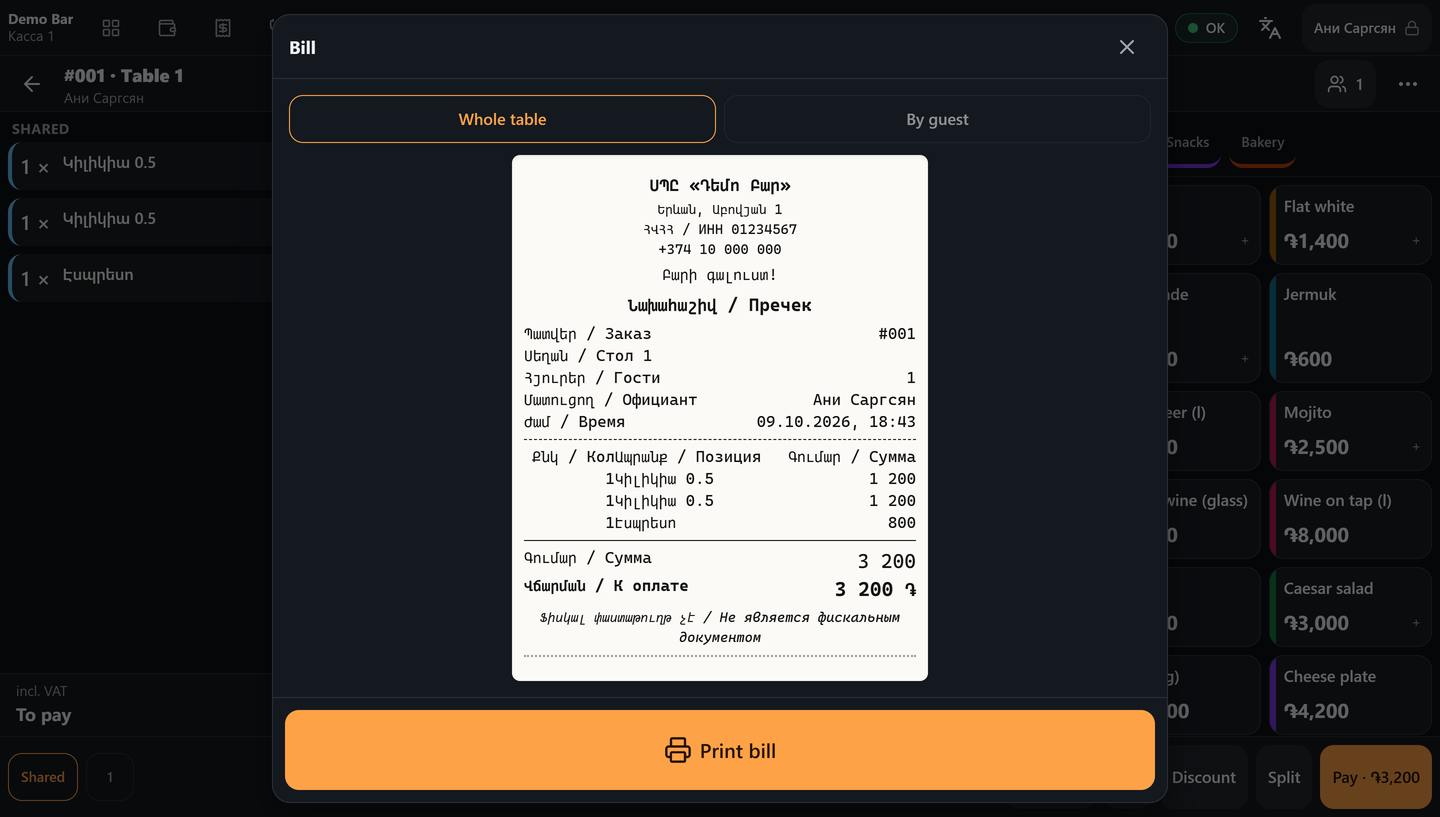
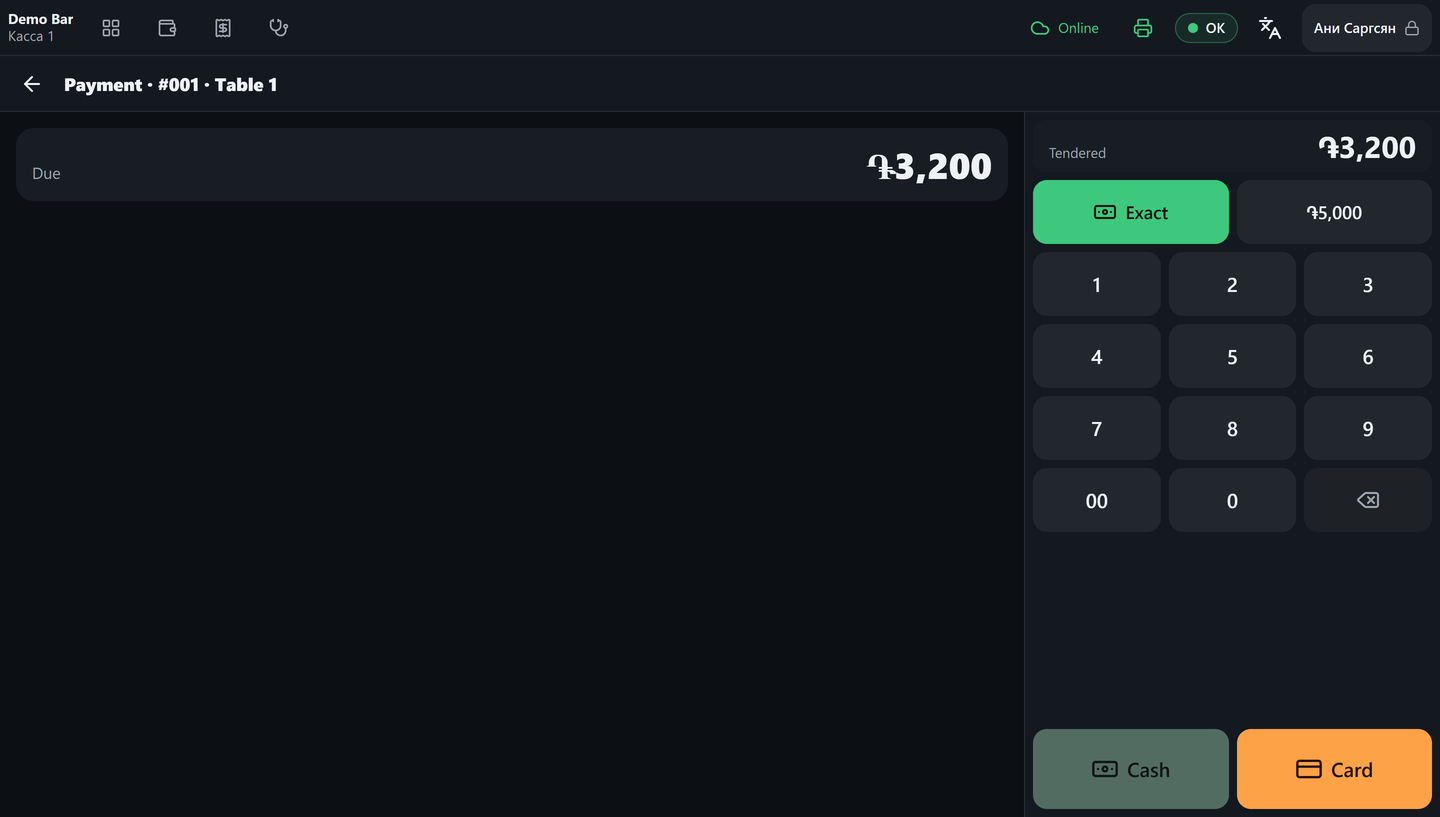
From the first order to closing the shift
From order to overview.
Four views of one venue. Choose a screen to explore the workflow.
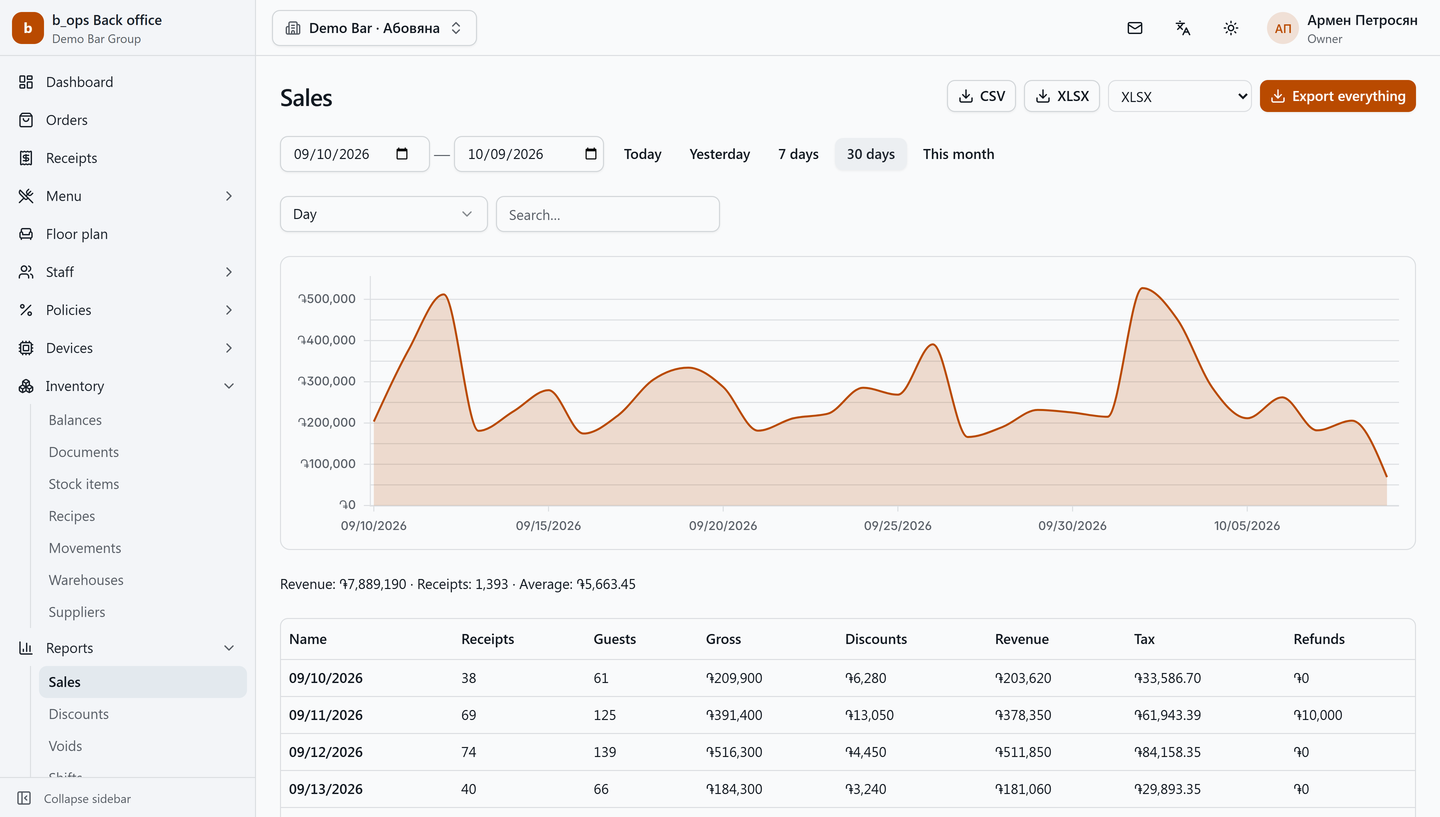
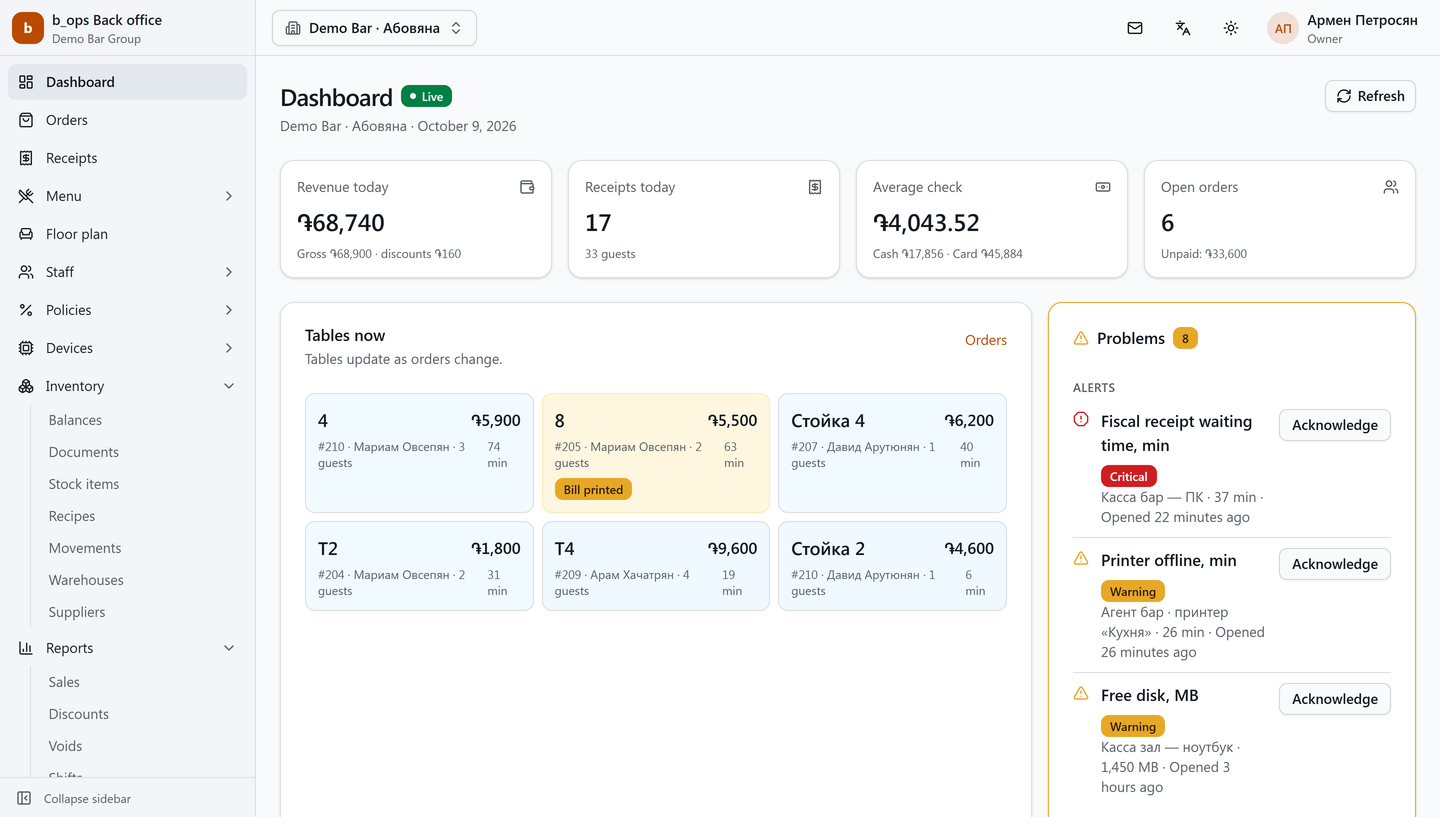
Know how the shift went.
See revenue, average checks and discounts for your chosen period. Understand the numbers without building spreadsheets by hand.
- Sales and average check
- Open and closed shifts, discounts and voids
- CSV and Excel exports
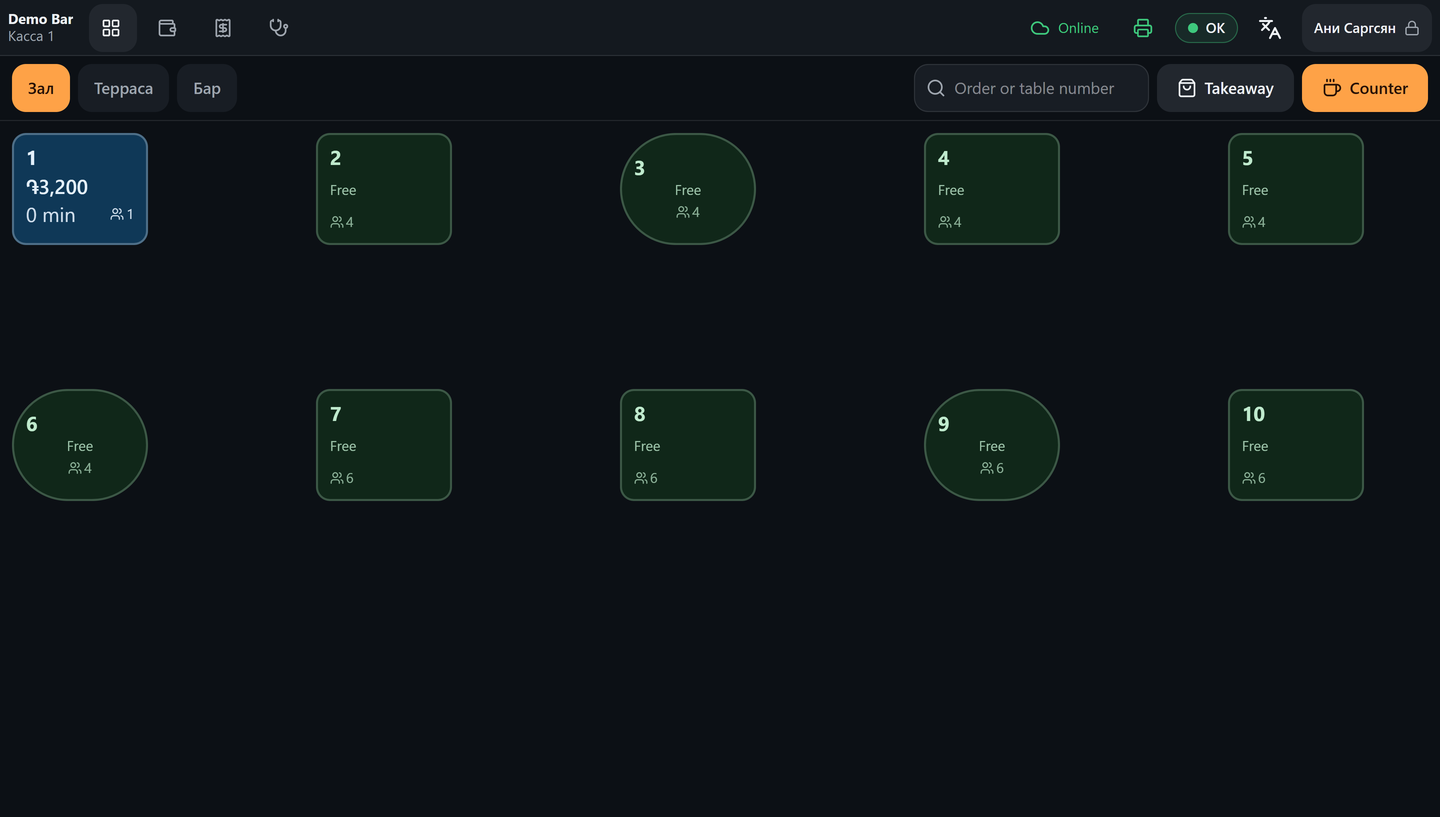
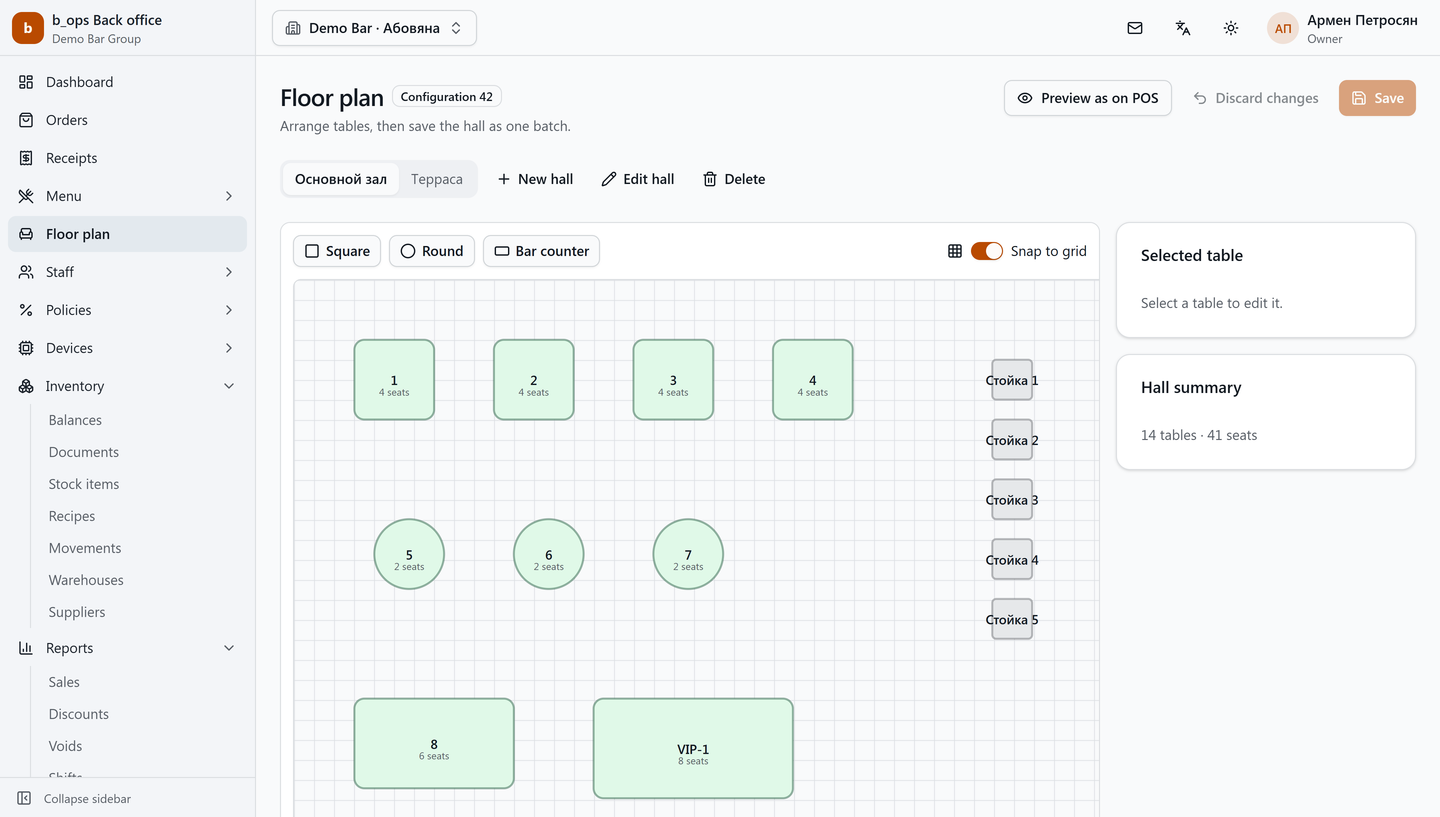
A place for every table.
Your dining room, terrace, open orders and reservations on one screen. Choose a table and time to prepare for arriving guests.
- Tables, rooms and bar counters
- Seats and table positioning
- Tables, orders and reservations
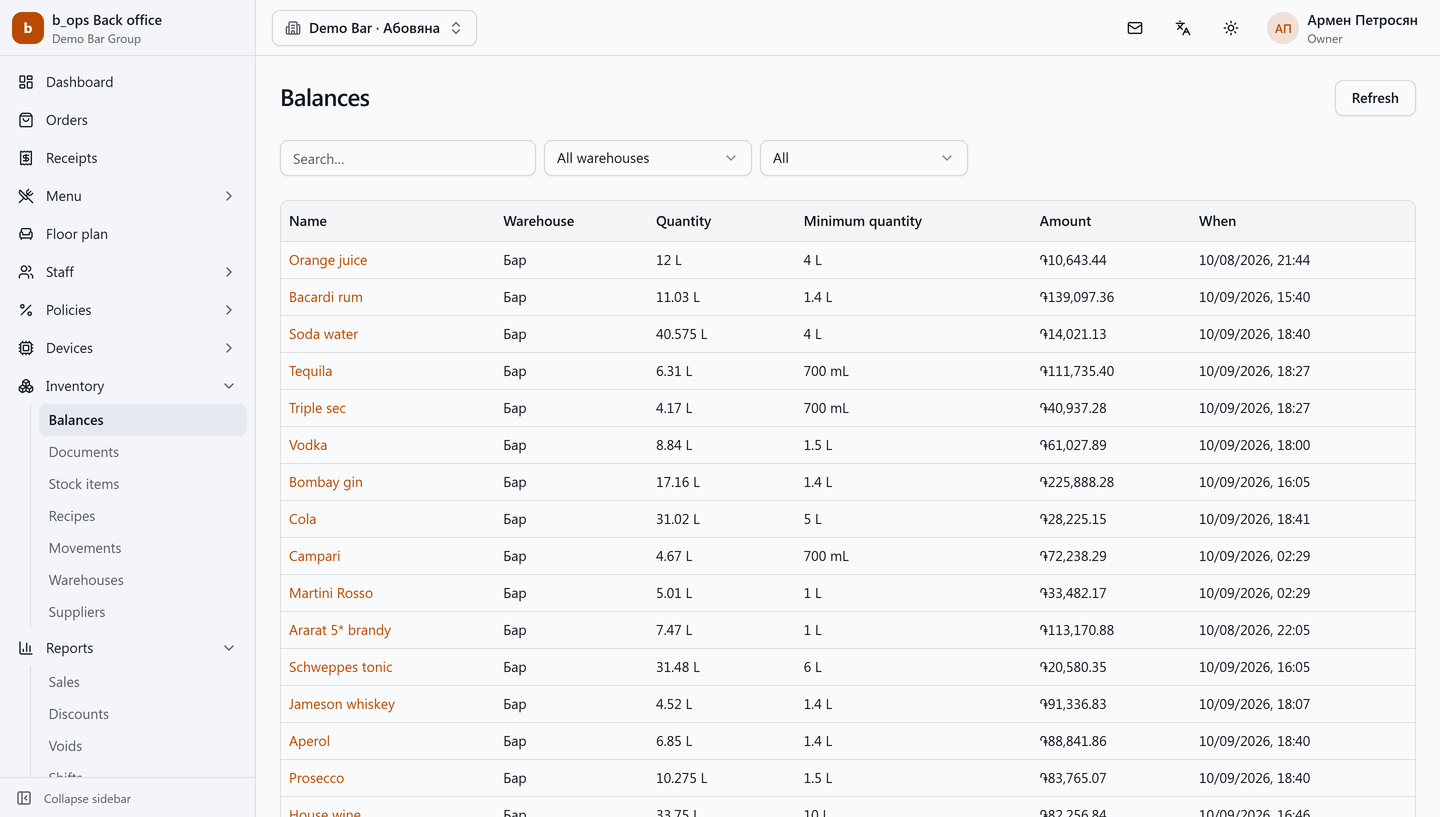
A good menu starts with stock.
Products, ingredients and recipes connect to your inventory movements. Check stock levels and plan purchases.
- Stock balances and movements
- Recipes and food cost
- Receipts, write-offs and stocktakes
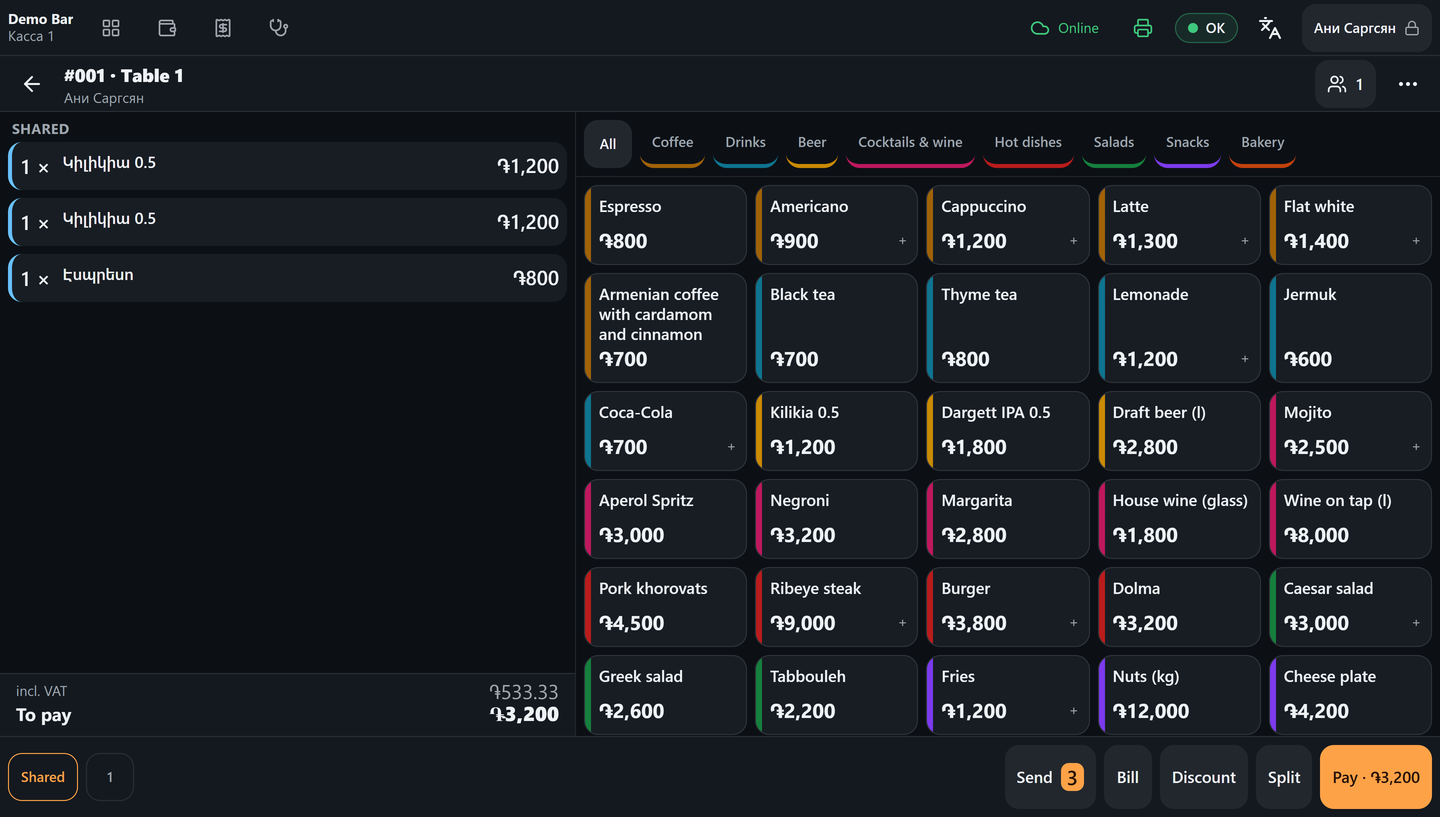
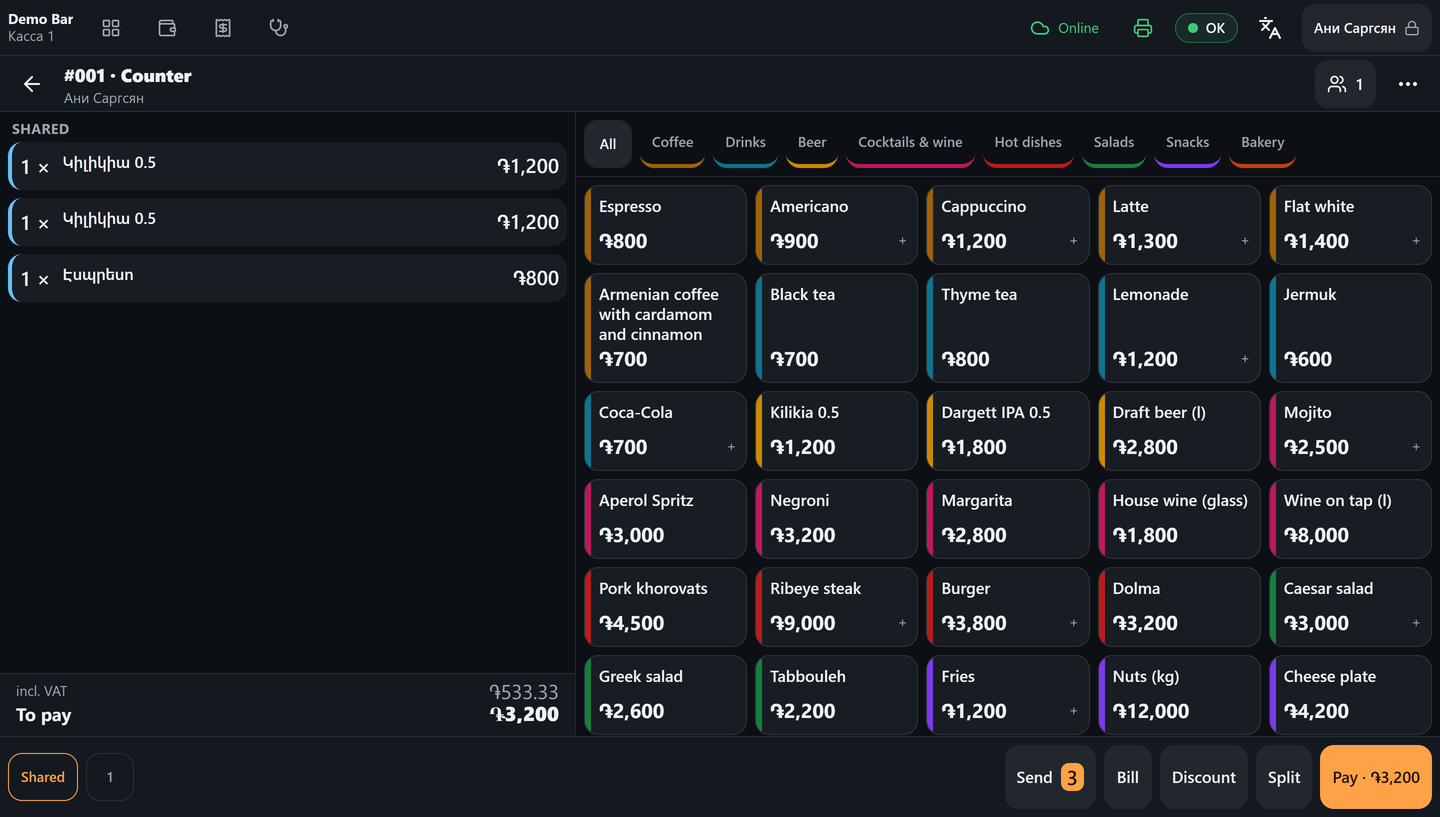
Fewer taps. More hospitality.
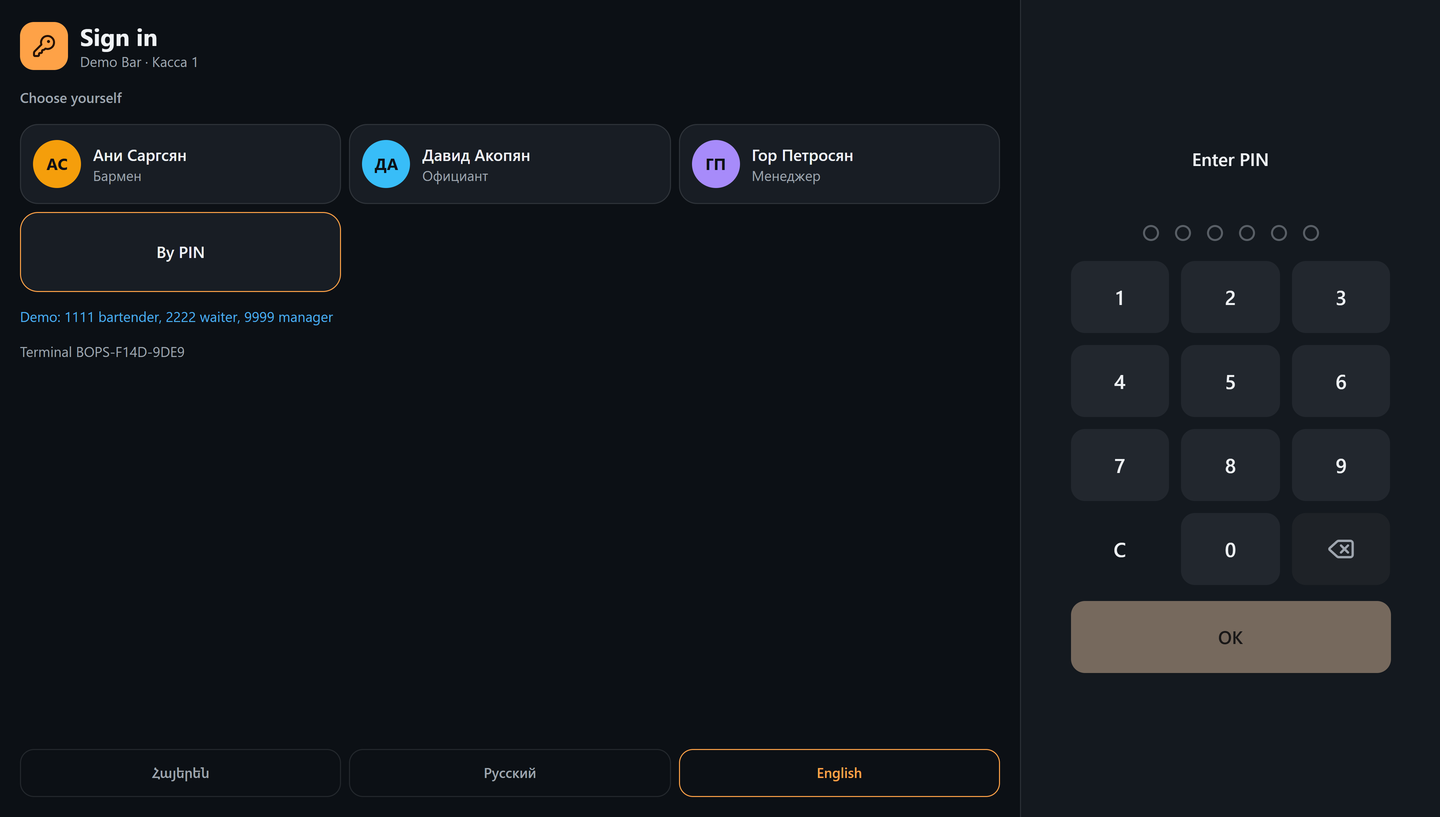
Build orders on a touchscreen, with items, modifiers and guests always within reach.
- Send orders to the kitchen and bar
- Split the bill between guests
- Cash, cards, discounts and refunds
Guest care. On your terms.
From table bookings to rewards at checkout, your team sees the rules in the POS and you set them in the back office.
- Reservations on the floor plan
- Choose a table, time and party size. Create and cancel reservations in the POS so the team can see them on the shared floor plan.
- Gifts and discounts at checkout
- Set a spend or item threshold for a fixed-amount discount or a complimentary menu item. The POS checks eligibility before checkout.
- Service charges on your terms
- Set a service percentage, applied automatically to dine-in orders or manually at the till. The guest bill shows the percentage and amount.
Back office. Run your whole venue.
Update your menu, track inventory and set permissions for your team — from your browser.
- Menu and pricing
- Categories, dishes, modifiers and availability. Build the menu around your kitchen and bar.
- Recipes and inventory
- Ingredients, recipes and food costs. Deliveries, write-offs, stocktakes and suppliers.
- Team and access
- Staff, roles and permissions. Decide who uses the POS, changes prices and views reports.
- Sales and oversight
- Revenue, average checks and current shift totals. Follow sales throughout the day and export reports to Excel.
Printing, part of the workflow.
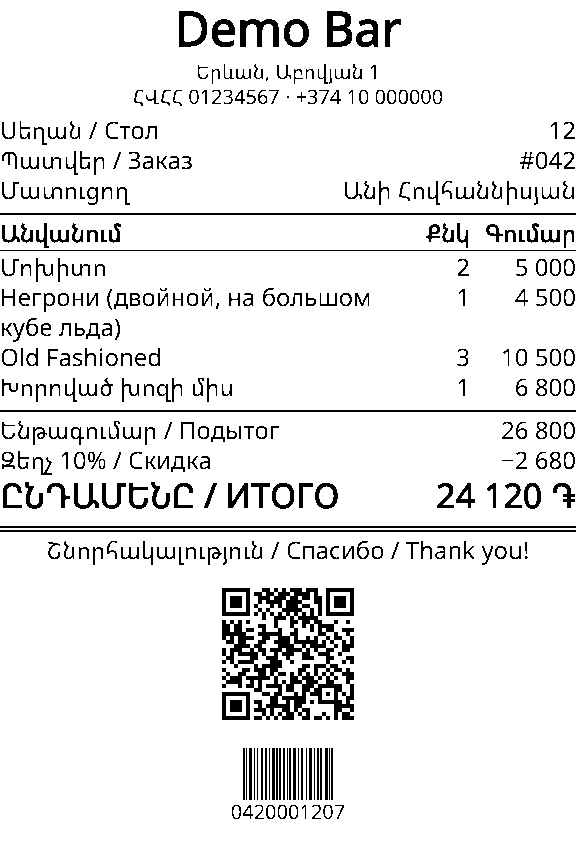
Connect printing to service: food to the kitchen, drinks to the bar, the bill to your guest.
ESC/POS
SupportedPrinting protocol, 58 and 80 mm paper, separate stations for the kitchen and bar.
Axiom printers
SupportedConnect your Axiom printers to b_ops.
Hardware bundles
Coming soonComplete hardware bundles for your venue.
Step-by-step setup: install the POS, pair with one code, find a printer and run a test print. The back office also guides network HDM setup and checks the connection.
Discuss your hardwareOrder taken. Kitchen informed.
The bill for your guest. The order for your kitchen.
One subscription. Your whole venue.
b_ops Cloud for one bar, café or restaurant: 15,000 ֏ a month. Save more with a six-month or annual plan.
Included in Cloud
- POS and floor management
- Back office and reports
- Menu, inventory and recipes
- ESC/POS and Axiom printing
Additional discount: 7% with a six-month contract or 15% with an annual subscription. Term discounts cannot be combined.
- Base price
- 15,000 ֏ / mo
Save 7% with a 6-month plan or 15% with an annual one
Savings against 15,000 ֏ a month
We’ll contact you within one business day.
All prices are in Armenian dram.
Straight answers.
What’s included in the subscription?
One venue: a bar, café or restaurant, with its POS, back office, menu, inventory and reports. For multiple venues, we’ll discuss connecting each separately.
How do I set up the POS and hardware?
The back-office wizard guides POS installation and pairing with one code, then helps you find a printer, choose paper width and test printing. Network HDM devices have a separate guided setup and connection check.
Will hardware bundles be available?
Yes, coming soon. We’re preparing hardware bundles for your venue. Contact us to discuss a suitable setup.
Will my printer work?
b_ops supports ESC/POS and Axiom printers. Tell us your printer model and we’ll help you connect it.
Which languages does b_ops support?
Armenian, Russian and English. Switch the language on this page to see the system’s localised screens.
How do I get started?
Send a request in the Pricing section or email us about your venue, workstations and printers. We’ll discuss a demo, hardware, menu preparation and setup terms.
See b_ops in action.
Tell us about your venue. We’ll walk through your working day, show you the system and discuss setup.